
What Is an M3U IPTV Playlist?
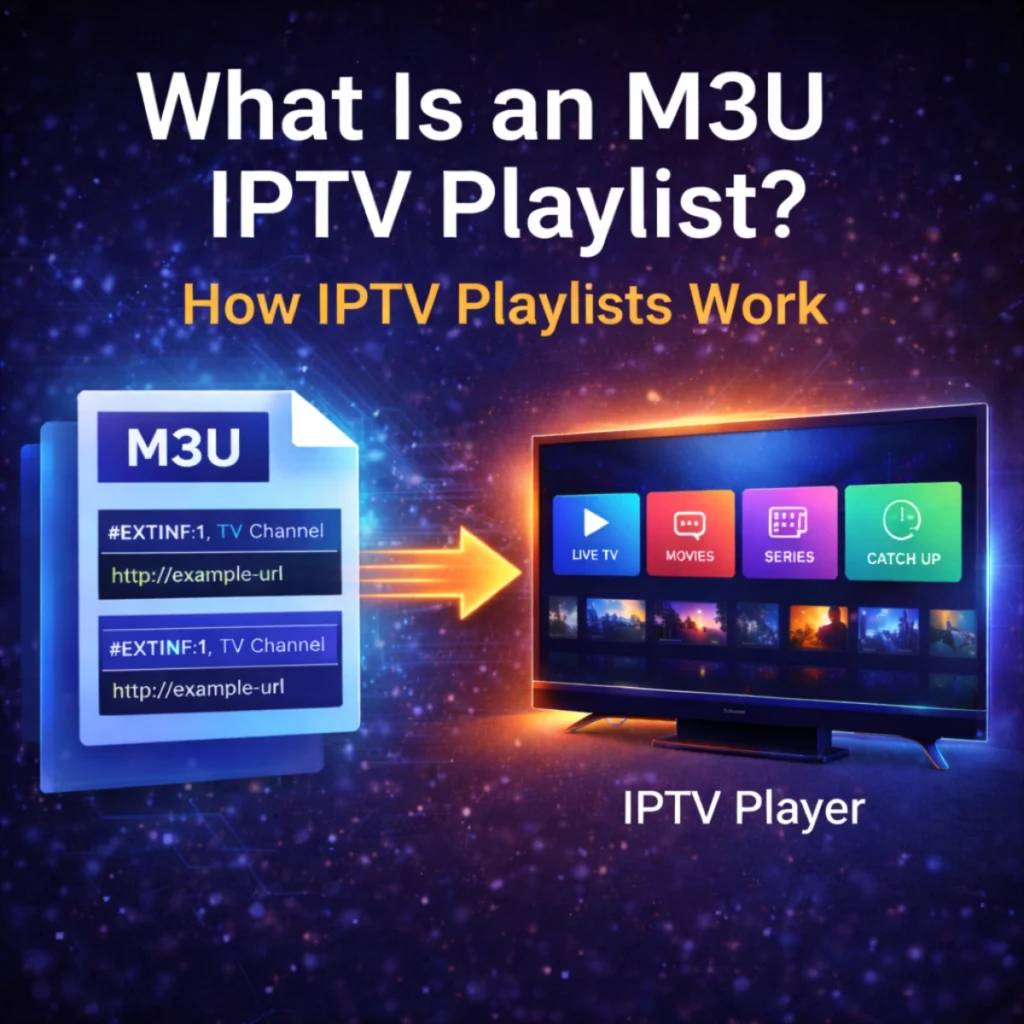
An M3U IPTV playlist is a file or URL that contains a list of IPTV channels and streaming links. IPTV players use these playlists to load and organize live television channels. Instead of traditional broadcasting, IPTV services deliver content over the internet. The playlist acts as a directory that tells the IPTV player where to find each channel stream. If you are new to IPTV technology, read our complete IPTV beginner guide to understand how IPTV works. This guide explains how IPTV works and why it has become popular worldwide. What Is the M3U Format? The M3U format is a simple text file used to store streaming links. Each entry in the playlist represents a TV channel or media stream. A typical IPTV playlist entry looks like this: #EXTINF:-1, Channel Namehttp://example-stream-url The IPTV player reads this information and loads the corresponding video stream. How IPTV Players Use M3U Playlists Most IPTV apps support loading playlists in two main ways: M3U URL A link hosted on a server that automatically updates the IPTV playlist. M3U File A local file that can be uploaded directly into an IPTV player. Popular IPTV players that support M3U playlists include: You can compare the most popular IPTV apps in our guide on IPTV Smarters vs TiviMate. What Is Inside an IPTV Playlist? An IPTV playlist usually contains several types of information: Channel Name The name displayed in the IPTV player. Stream URL The direct link to the video stream. Channel Category Some playlists group channels by categories like: This allows IPTV apps to organize channels for easier browsing. M3U vs M3U8 IPTV Playlists Two formats are commonly used in IPTV streaming: M3U Standard playlist format used by most IPTV players. M3U8 A UTF-8 encoded version of M3U used in HTTP Live Streaming (HLS). Most IPTV apps support both formats. How to Add an IPTV Playlist Adding an IPTV playlist usually takes only a few steps. Step 1 Install an IPTV player on your device. Step 2 Open the app and select Add Playlist. Step 3 Enter the M3U URL or upload the M3U file. Step 4 The IPTV player loads the channels automatically. Once the playlist is loaded, users can browse live channels and on-demand content. IPTV Playlist and IPTV Providers Many IPTV providers supply playlists to their users. These playlists allow IPTV players to connect to the streaming servers. If you’re looking for a reliable provider, check our list of the best IPTV services in the USA. This article explains how to choose the best IPTV service and what features to look for. Conclusion An M3U IPTV playlist is the core component that allows IPTV players to stream live television channels. It acts as a directory of streaming links that IPTV apps use to load content. Understanding how IPTV playlists work makes it easier to configure IPTV players and enjoy streaming across multiple devices. Whether you use a smart TV, smartphone, or streaming device, IPTV playlists allow quick access to thousands of live channels.
Best IPTV Apps: IPTV Smarters Pro vs TiviMate
When streaming IPTV channels, choosing the right IPTV player is essential. Two of the most popular IPTV apps today are IPTV Smarters Pro and TiviMate IPTV Player. Both apps allow users to load IPTV playlists using M3U URLs or Xtream Codes API, making them compatible with most IPTV providers. If you’re new to IPTV technology, you may want to read our beginner guide explaining how IPTV works. What Is IPTV Smarters Pro? IPTV Smarters Pro is one of the most widely used IPTV applications available for multiple platforms including: The app provides a clean interface and supports multiple IPTV playlist formats such as M3U playlists and Xtream Codes login. Key Features What Is TiviMate IPTV Player? TiviMate is a premium IPTV player designed primarily for Android TV and Firestick devices. It offers a highly polished interface and advanced features that make IPTV streaming easier to navigate. Many users prefer TiviMate because of its smooth performance and customizable layout. Key Features IPTV Smarters vs TiviMate: Key Differences Feature IPTV Smarters Pro TiviMate Supported Devices Android, iOS, Smart TV, Firestick Android TV & Firestick Interface Simple Advanced Multi Playlist Yes Yes Customization Limited Very high Best For Beginners Advanced users Which IPTV App Is Better? The best IPTV player depends on your device and preferences. Choose IPTV Smarters Pro if: Choose TiviMate if: IPTV Playlist Compatibility Both IPTV Smarters Pro and TiviMate support different IPTV playlist formats including: If you want to understand how IPTV playlists work, check our guide about public iptv stream url. This article explains how IPTV stream URLs and M3U playlists connect IPTV players to live TV channels. Devices Compatible With IPTV Apps Most IPTV apps can be installed on several devices including: Choosing a reliable IPTV provider is also important for smooth streaming. You can read our full guide about the best IPTV service in the USA here. Conclusion IPTV Smarters Pro and TiviMate are two of the best IPTV apps available today. While IPTV Smarters Pro offers great cross-platform support, TiviMate delivers a premium viewing experience for Android TV users. Both apps support IPTV playlists, M3U URLs, and Xtream Codes, making them compatible with most IPTV services. Choosing the right IPTV player will help you enjoy smoother streaming and better IPTV navigation.